Check your presentation
The add-in tells you if animations, slide transitions, or other content will change during import.
The CoursHub add-in checks your presentation, imports the slides into CoursHub for editing, and creates a SCORM file for your learning platform.
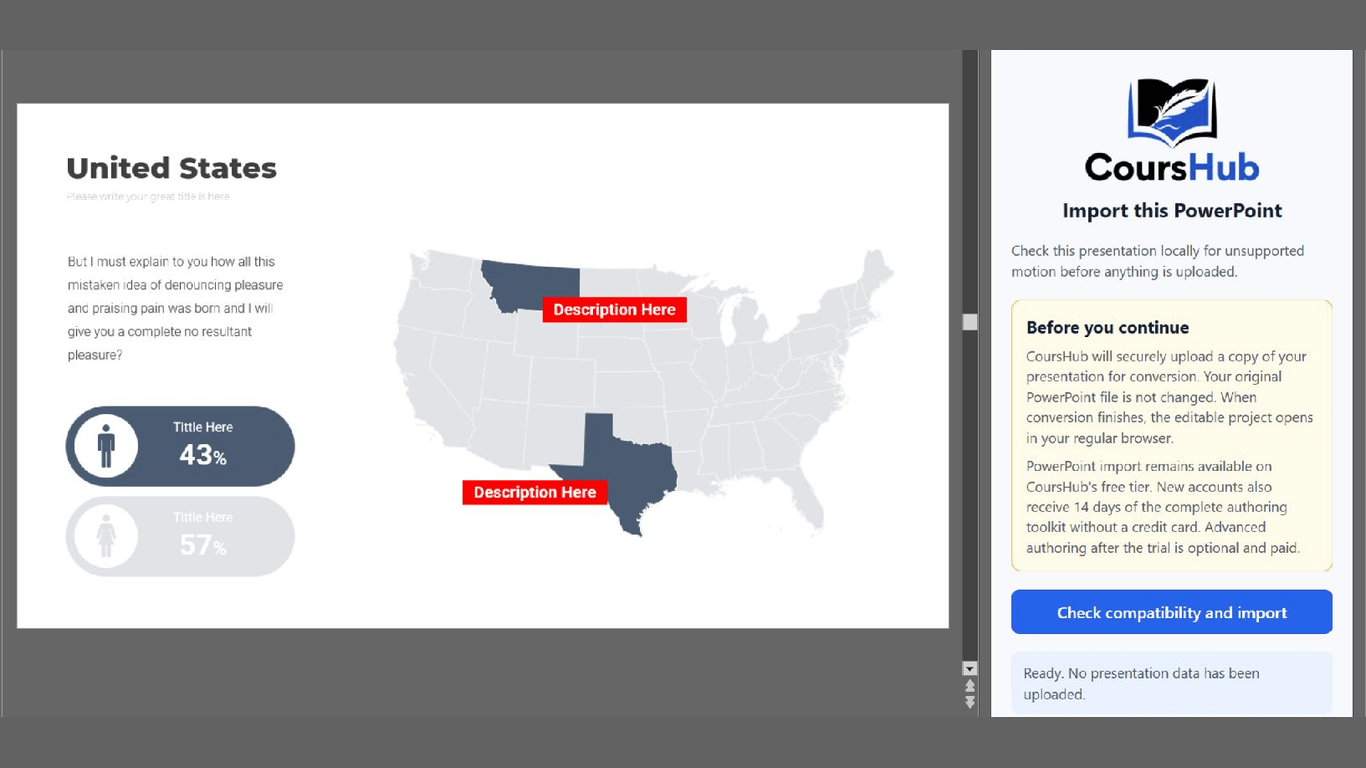
Open the add-in from PowerPoint. It checks the presentation before anything is uploaded.
The add-in tells you if animations, slide transitions, or other content will change during import.
Sign in and click Import. Text, shapes, images, charts, and diagrams are brought into CoursHub.
The course opens in CoursHub. Make any changes you need, then download SCORM 1.2 or SCORM 2004.
CoursHub brings common slide content into the course so you can keep editing it.
CoursHub uploads a copy only after you sign in and click Import.
What happens to your file, which PowerPoint versions work, and what the add-in costs.
No. CoursHub uploads a copy. Your original presentation is not changed.
The add-in works with current versions of PowerPoint on Windows, Mac, and the web.
CoursHub creates SCORM 1.2 and SCORM 2004 files. Test the finished course in the learning platform your learners will use.
Yes. PowerPoint import is available on the permanent free tier and does not require a credit card. New accounts also receive 14 days of the complete authoring toolkit.
They do not carry over. The add-in warns you before the import begins.
Yes. You need a CoursHub account and internet connection to import the presentation and download the finished course.
Open PowerPoint, install the CoursHub add-in, and import your presentation.
PowerPoint import is available on the free tier. No credit card required.