
Monthly Creator
$49
per author, per month
Limited-time launch price for your first year. Then $69/month.
- Complete authoring toolkit
- Share courses by link, no LMS needed
- Unlimited course creation
- Cancel anytime
Import your PowerPoint, edit your slides, and export to SCORM for your LMS.
The work matters
You already have that knowledge. Your authoring tool should help you share it, not force you to spend weeks learning timelines, layers, and technical workarounds.
Your old PowerPoints aren’t wasted work. Import them, layer in the interactions your learners actually need, and ship to your LMS.
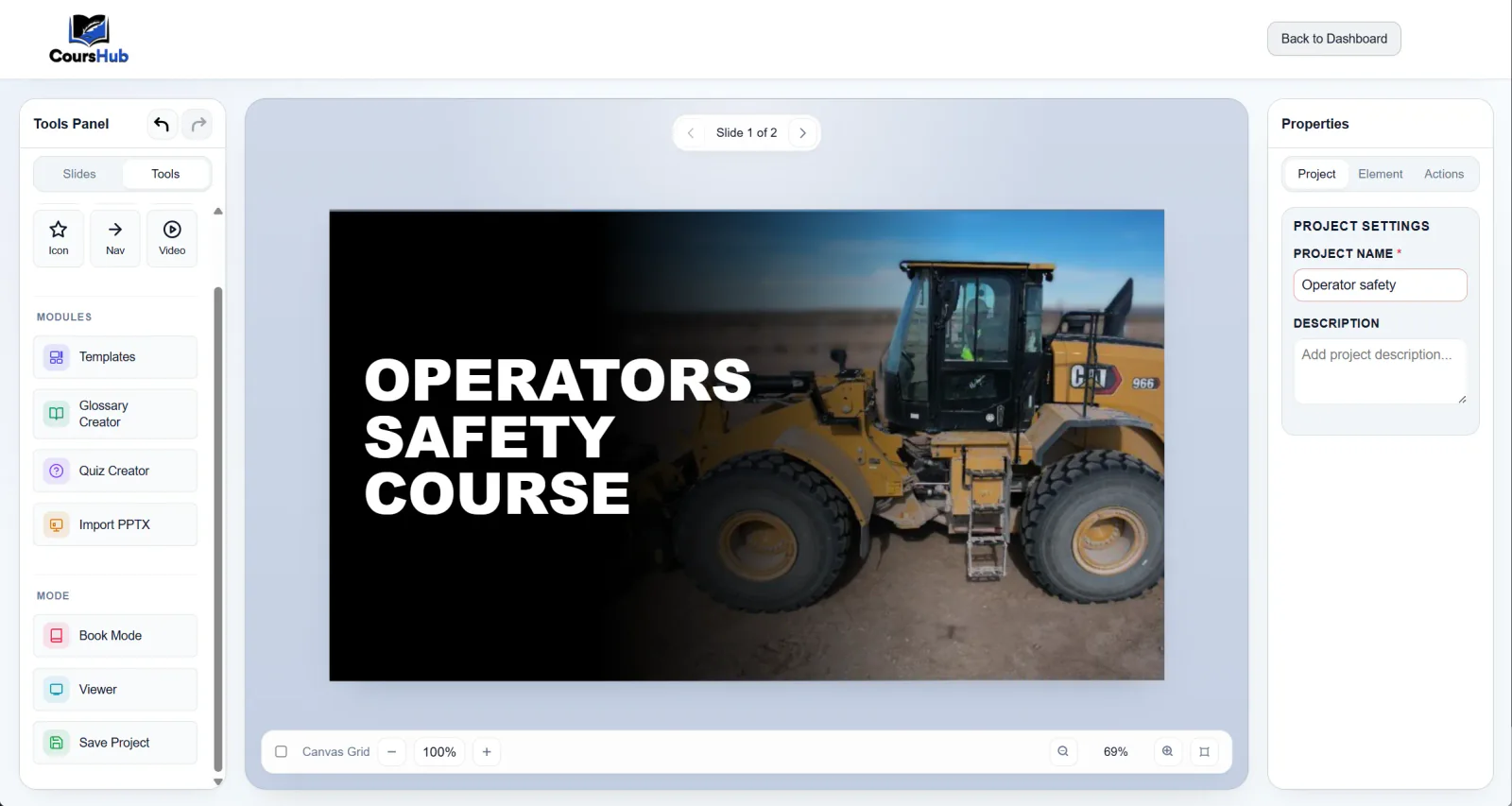
Create lessons and interactive learning components in one workspace, then publish them through one consistent process.
Slide-based lessons with text, media, shapes, icons, hotspots, and interactive blocks.
Scored assessments with multiple question types. Results export with your SCORM package.
Searchable, embeddable term libraries that plug into any lesson.
Walk learners through spherical panoramas with placed hotspots and overlays.
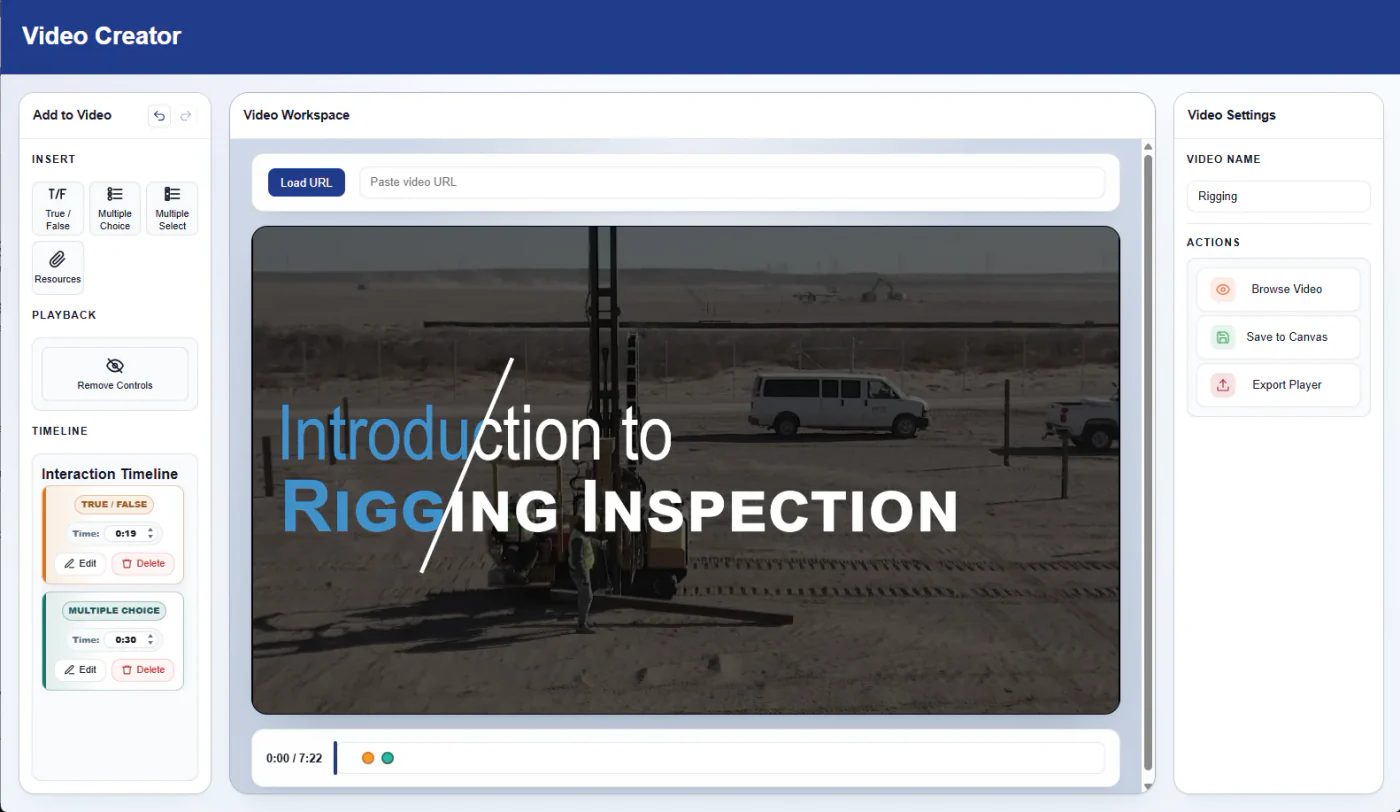
Add questions and decision points directly to a video timeline.
Import an existing presentation, edit the slides, add interactions, and export it as SCORM.
CoursHub gives you the tools to create the content, preview the learner experience, and publish the finished course.
Place elements where you want them and click to edit. The learner view follows the layout you create.
Place knowledge checks on the timeline. The video pauses while the learner answers, and completion data is included in the SCORM output.
Upload a spherical photo and place hotspots throughout the scene. Learners can explore locations such as an excavator cab, a work site, or an operating room.
CoursHub is designed for teams and independent professionals who need a practical way to create online training.
Use transparent per-author pricing with every authoring module included.
Create modern training while continuing to use your current LMS and SCORM workflow.
Turn your subject knowledge into structured courses that you can deliver to clients or learners.
Every paid plan includes Canvas, PowerPoint import, quizzes, glossaries, interactive video, 360° scenes, supported SCORM exports, and share links. Try everything for 14 days without a credit card; if you do not subscribe, keep converting PowerPoint to SCORM on the permanent free tier.
Learn more about PowerPoint import, SCORM publishing, pricing, and the trial.
No. PowerPoint import is one way to begin. You can also start with a blank canvas and build a complete course with text, media, shapes, hotspots, quizzes, glossaries, interactive video, and 360° scenes.
You can review and correct the imported content, continue editing the Canvas project, add supported interactions and learning components, preview the learner experience, and export the finished course.
CoursHub supports SCORM 1.2 and SCORM 2004 publishing for compatible learning management systems. Always validate a finished package in the LMS where learners will use it.
No. The 14-day trial provides access to the complete product without requiring a credit card.
If you do not subscribe, your account downgrades to the permanent free PowerPoint-to-SCORM converter tier. Paid creation and editing capabilities remain available when you upgrade.
The paid Creator plan includes the complete authoring toolkit: Canvas, PowerPoint import, Quiz Creator, Glossary Creator, Interactive Video, 360° scenes, and supported SCORM exports.
Have a question about PowerPoint conversion, course authoring, SCORM, or your account? Send us a message and we will follow up by email.
Ready to create instead? Start your free trial.